how to get cinema hd on firestick
Understanding Cinema HD on Amazon Fire TV Stick
Step-by-Step Guide: Sideloading Cinema HD via Downloader
Integrating Real-Debrid for Better Links
Why n1 iptv Built-in VOD is Superior to Scraper APKs
Troubleshooting Common Cinema HD Issues on Fire TV
Even with Real-Debrid configured, Cinema HD users frequently experience frustrating software glitches. Here is how to resolve the most common errors:
- Cinema HD Gray Screen or Crashing on Launch: This happens when the internal scraper cache becomes corrupted. Go to Firestick Settings → Applications → Manage Installed Applications → Cinema HD → Click 'Force Stop', then click 'Clear Cache'. Restart the app.
- No Links or Zero Streams Found: Check if your Real-Debrid subscription has expired. In Cinema HD Settings → Account, re-authenticate your Real-Debrid login. Additionally, ensure your internet provider is not blocking scraper domains by testing with a VPN.
- Audio-Video Desynchronization: In Cinema HD Settings, toggle 'Use Internal Player' off and select an external player like VLC or MX Player, which handle audio codecs much more reliably.
Why n1 iptv VOD Eliminates All Scraper Headaches
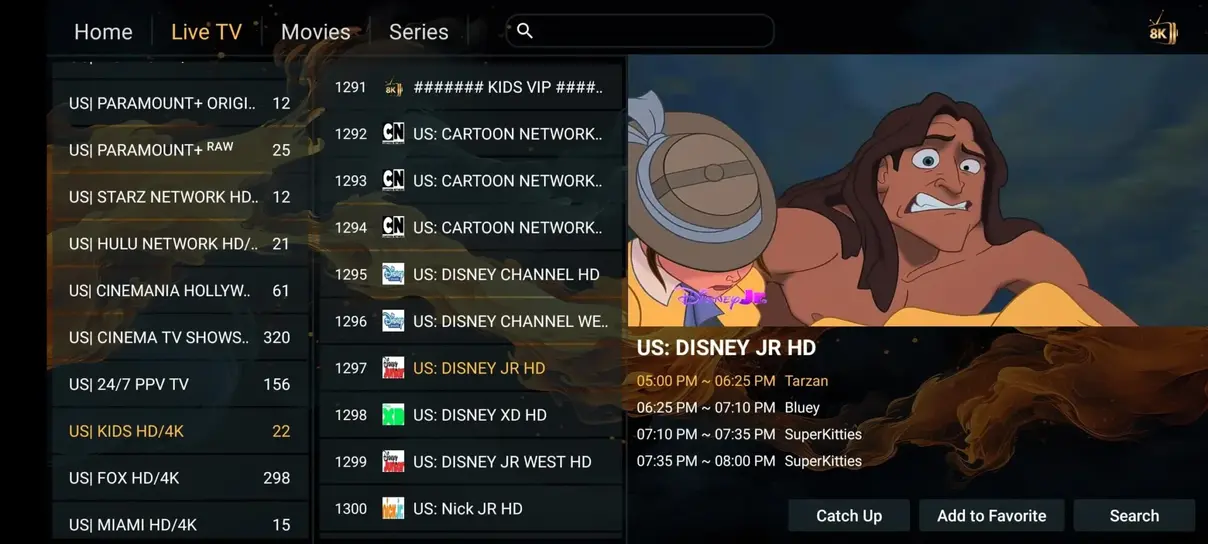
Scraper applications like Cinema HD rely on unstable third-party cyberlockers that get taken down constantly. With n1 iptv, our 142.000+ movies and series are hosted directly on our private high-speed European servers. You click on a movie, and it plays immediately in 4K resolution with zero ads, zero dead links, and complete multi-language audio selection.
Evaluating the Security and Privacy Risks of Free Streaming APKs
While sideloading free streaming APKs like Cinema HD is tempting, users should be acutely aware of the privacy and security vulnerabilities involved. Because free apps are not vetted by official app stores like Google Play or Amazon, rogue versions frequently circulate online containing malicious trackers, crypto-miners, and aggressive adware.
Furthermore, streaming scraped content without a VPN can expose your real IP address to third-party cyberlocker hosts that log visitor connections.
By switching to n1 iptv, you eliminate these risks completely. All 142.000+ films and series stream over private, encrypted HTTPS connections from trusted European servers, ensuring a clean, secure, and family-friendly home viewing environment.
Why Premium IPTV VOD Outperforms Third-Party Web Scrapers Like Cinema HD
While Cinema HD gained massive popularity among streaming enthusiasts, third-party scraper applications suffer from inherent technical vulnerabilities that worsen with every passing year. Cinema HD does not host content; instead, it scrapes publicly available cyberlockers and file hosts across the web.
As digital copyright enforcement escalates, file hosts frequently remove videos without notice, resulting in broken links, 'No Data Available' errors, and misleading low-resolution camera copies. Furthermore, free scraper streams are heavily throttled by cyberlocker bandwidth caps, causing annoying buffering circles midway through movies.
The Dedicated Cloud Storage Advantage of n1 iptv
In contrast, n1 iptv maintains a curated private video-on-demand cloud containing 142.000+ movies and complete series. Every title is encoded in direct bitstream 1080p and 4K Ultra-HD with crystal-clear 5.1 Dolby surround audio. Because files are hosted directly on our private high-speed European server cluster, playback begins instantly with zero broken links, no sketchy advertising popups, and guaranteed continuous streaming speeds.
Comparing Stream Buffering: Web Scrapers vs Private High-Speed IPTV Nodes
To understand why scrapers like Cinema HD frequently disappoint during evening entertainment, one must examine the network topography of free cyberlockers. Cyberlockers monetize traffic by forcing free users through captcha verifications and deliberate bandwidth throttles capped at 1.5 to 2.5 Mbps—barely sufficient for standard definition video.
To bypass these severe limits, scrapers require users to purchase secondary debrid caching services (such as Real-Debrid) at additional recurring expense.
The All-in-One Solution: n1 iptv Cloud VOD
With n1 iptv, no auxiliary scraper tools or debrid accounts are required. Our 142.000+ movie and series catalog connects directly to unthrottled 10 Gbps European content delivery pipelines. You receive instantaneous stream initialization, synchronized multi-language subtitles, crystal-clear 4K HDR video, and 5.1 surround sound right out of the box.
The Importance of Reliable Audio Codec Passthrough in Home Theaters
Unlike web-scraped media where audio is often downmixed into muddy stereo AAC, n1 iptv's video-on-demand library preserves native 5.1 Dolby Digital and DTS audio streams. When connected to a modern soundbar or multi-channel AV surround receiver via HDMI-eARC, cinema lovers enjoy rich spatial acoustics, clear dialogue channels, and impactful low-frequency effects just as film directors intended.
Ready to Experience Ultra-HD 4K Streaming?
Join thousands of satisfied European households streaming with n1 iptv. Enjoy 35.000+ live channels, 142.000+ movies on demand, and 99.9% uptime with our 7-day money-back guarantee.