how to add iptv to plex?
Integrating Live Television into Your Plex Media Server
Prerequisites: What You Need Before Setup

Step-by-Step Guide: Configuring xTeVe / Threadfin with n1 iptv
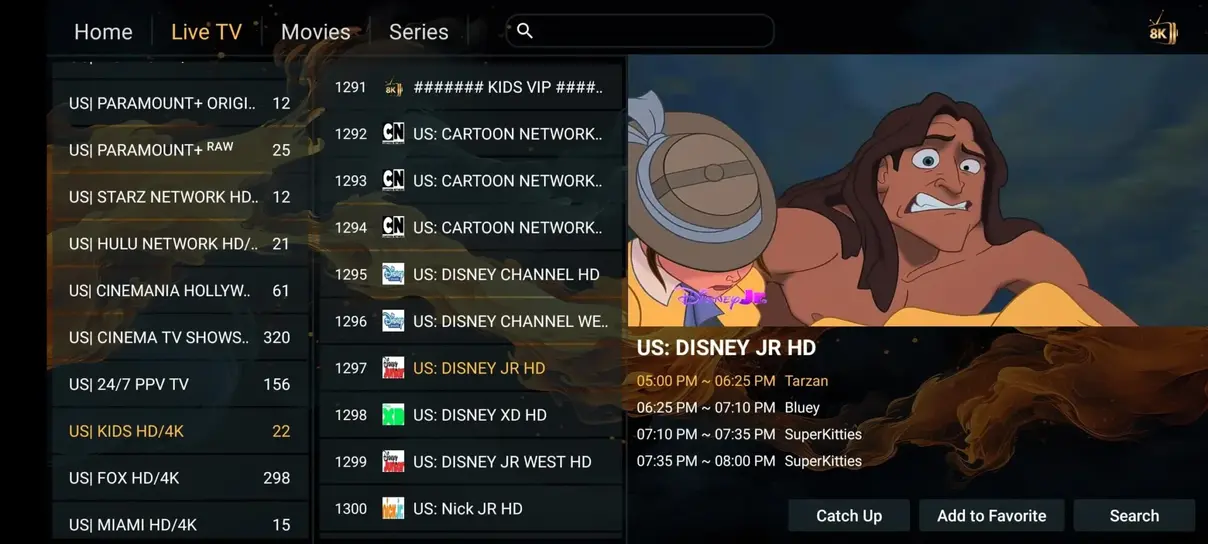
Best Practices for Smooth Plex DVR Recordings
Advanced xTeVe Filtering and Stream Mapping Tips
When integrating a massive 35.000+ channel playlist from n1 iptv into Plex, proper filtering is essential. Plex Media Server was originally designed for local broadcast tuners with 50 to 100 channels. Loading an uncurated 35.000-channel list can overwhelm Plex's internal database, causing slow guide generation and memory spikes.
Inside xTeVe or Threadfin, utilize the 'Filter' tool to restrict your active channel feed to 300–400 of your favorite channels. Create rules targeting specific groups, such as 'Germany HD', 'UK Sports', 'Cinema 4K', and 'Documentaries'. This keeps Plex snappy and provides your family with a clean, lightning-fast program guide.
Remote Streaming and Mobile Transcoding via Plex
One of the greatest benefits of routing n1 iptv through Plex is Plex's world-class remote streaming capability. If you are away from home on a cellular data connection, Plex Media Server can automatically transcode high-bitrate 4K streams down to 720p or 1080p to fit your mobile bandwidth.
Furthermore, Plex DVR allows you to schedule recordings of live matches and movies directly to your home hard drive, creating a personal offline media archive that you can access from any Plex app worldwide.
Optimizing Plex Transcoder Performance for Multi-User Households
If multiple family members stream from your Plex server simultaneously, understanding transcode resource allocation is essential. When a client device (such as an iPhone or web browser) cannot natively decode the audio or video codec of an IPTV stream, Plex Media Server transcodes the stream on-the-fly.
To prevent CPU bottlenecking, enable 'Hardware-accelerated streaming' in Plex Settings → Transcoder. Systems equipped with Intel QuickSync Video (found on 8th Gen or newer Core processors) or dedicated Nvidia GeForce cards (using NVENC) can transcode up to 8 simultaneous 1080p streams with under 15% CPU utilization.
Additionally, ensure that 'Direct Play' and 'Direct Stream' are toggled ON in the Plex client app settings on Smart TVs and streaming boxes to allow native stream passthrough without transcoding.
Configuring Threadfin as an Emulated HDHomeRun Tuner for Plex
Because Plex removed native WebTV plugins several versions ago, modern IPTV integration relies on proxy bridge software that translates an M3U playlist and XMLTV guide into an emulated HDHomeRun digital TV tuner. The most reliable and lightweight modern solution is Threadfin (an actively maintained fork of xTeVe).
Running Threadfin inside a Docker container or standalone Windows executable allows you to ingest your n1 iptv M3U Plus URL, filter out unnecessary language bouquets, map unique channel numbers, and feed a clean, consolidated lineup of up to 480 prioritized channels directly into Plex Media Server.
DVR Buffer Settings and Multi-Stream Allocation
When scheduling automated DVR recordings in Plex, ensure your Threadfin tuner count strictly matches your n1 iptv active connection quota. If you subscribe to our standard 1-connection plan, set Threadfin tuners to 1. If you upgrade to our 2-screen or 3-screen package, increase the tuner cap accordingly to enable recording one live sports broadcast while simultaneously viewing another on your primary living room TV.
Optimizing Channel Organization and Electronic Program Guide (EPG) Mapping
Ingesting an entire 35.000+ live channel playlist directly into Plex Media Server can overwhelm its database indexing engine. Plex was engineered to handle standard terrestrial lineups of 50 to 500 channels; dumping tens of thousands of channels simultaneously can cause the Plex Live TV & DVR interface to freeze or load sluggishly.
To ensure lightning-fast guide responsiveness, leverage Threadfin's built-in playlist filtering tools:
- Group Filtering: In Threadfin Settings → Filter, select only the countries and categories you actively watch (such as Germany HD/4K, UK Sports, USA Entertainment, and France General).
- Channel Cap Optimization: Limit your active mapped channels to 300–500 essential streams. This keeps Plex's internal SQLite database lean and prevents guide rendering delays.
- Automated XMLTV Refresh: Configure Threadfin to download our n1 iptv EPG XML file once every 24 hours at 04:00 AM. This guarantees your 7-day TV guide timeline is perpetually current without manual maintenance.
Ready to Experience Ultra-HD 4K Streaming?
Join thousands of satisfied European households streaming with n1 iptv. Enjoy 35.000+ live channels, 142.000+ movies on demand, and 99.9% uptime with our 7-day money-back guarantee.