how do i have to buy tivimate premium
Unlocking the Full Power of TiviMate IPTV Player
Step-by-Step Guide: Buying TiviMate Premium on Android TV
How to Buy TiviMate Premium on Amazon Firestick (Using TiviMate Companion)
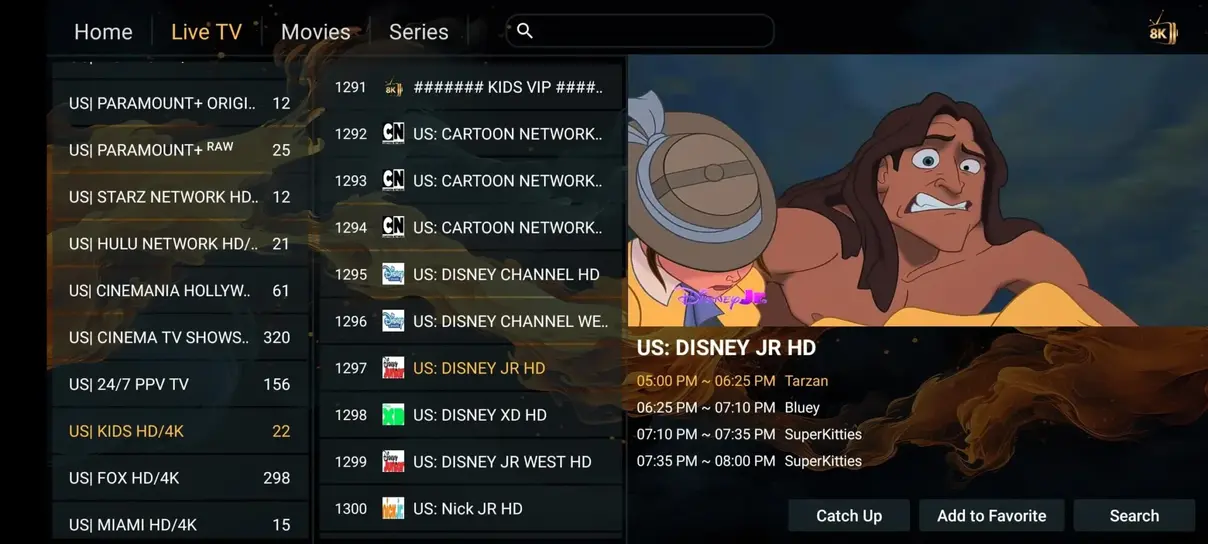
Connecting Your n1 iptv Subscription to TiviMate Premium
Managing Your TiviMate Premium Devices and Licenses
One of the major advantages of purchasing TiviMate Premium is that a single license covers up to five simultaneous devices. Whether you own multiple Firesticks in different bedrooms, an Nvidia Shield in the living room, and a tablet for travel, all five devices can share your premium unlock.
Inside the TiviMate Companion app on Android (or through the app settings on your device), you can view a list of all currently activated devices. If you replace an old TV stick with a new model, you can easily deactivate the old device with one click and activate the new one without contacting support or paying extra.
Troubleshooting TiviMate Premium Activation Errors
If you encounter the error 'Could not check license' or 'Maximum device limit reached': - Ensure your Firestick is connected to the internet and date/time settings are set to automatic. - Open TiviMate Companion on your phone, log in, and remove any duplicate or inactive device names. - In TiviMate on your TV, log out of your account under Settings → About, restart the app, and log back in.
Once unlocked, pairing TiviMate Premium with n1 iptv's 35.000+ channel catalog provides an unrivaled home entertainment experience.
Exploring TiviMate Premium's Advanced Customization Features
Once you have purchased and activated TiviMate Premium, take time to explore the deep customization options that make this player so revered among enthusiasts. Under Settings → Appearance, you can modify the UI color scheme, customize channel logos, and adjust the transparency of the on-screen display.
Under Settings → Playback, enable 'Auto frame rate (AFR)'. This feature instructs your TV to match the exact refresh rate of the source broadcast (e.g. 50Hz for European television, 59.94Hz for American sports), eliminating the micro-stutter known as 'judder'.
You can also assign custom remote control shortcuts: for instance, mapping a long-press of the Select button to open the Multi-View window or switch instantly between your last two viewed channels.
Unlocking the Full Feature Set of TiviMate Premium with n1 iptv
While TiviMate's free version functions as a capable basic viewer, upgrading to TiviMate Premium unlocks a powerhouse of television features that rival high-end cable decoders:
- Scheduled and Manual Cloud/Local Recording: Connect an external USB flash drive or network-attached storage (NAS) share via SMB to record live sports or movies automatically according to the TV guide schedule.
- Multi-View Quad Screen: Watch up to 4 simultaneous live streams on a single screen—unbeatable for sports weekends when multiple football matches or Grand Prix sessions air concurrently.
- Custom Category Management: Hide unwanted foreign language bouquets, reorder sports channels to your personal preference, and build unified favorites lists across multiple playlists.
- Catch-Up Television: Access our 7-day server catch-up buffer directly inside the program timeline to replay missed broadcasts effortlessly.
With a single TiviMate Premium license activating up to 5 devices, your entire household can enjoy a cohesive, ultra-responsive modern streaming interface powered by n1 iptv's high-speed servers.
Managing and Deauthorizing Devices via TiviMate Companion
A major advantage of TiviMate Premium is its generous 5-device multi-activation allowance under a single subscription. However, as family members upgrade old streaming sticks or purchase new Smart TVs, you may eventually reach your 5-device limit.
To manage your active devices, open the TiviMate Companion app on your Android phone or BlueStacks emulator. The dashboard displays the custom nickname of each registered device (e.g., 'Living Room Firestick', 'Bedroom Shield TV'). To free up an activation slot for a brand-new television, tap the trash can icon next to any obsolete device to deauthorize it immediately.
Cloud Backup and Instant Configuration Restore
Configuring channel groups, custom logos, parental controls, and favorite lists on one TV can take 20 to 30 minutes. TiviMate Premium eliminates repetitive setup through its integrated Data Backup feature. Navigate to Settings → General → Backup Data and save your entire configuration to internal storage or a local network share.
On your second, third, or fourth TV, simply select 'Restore Data' from the same menu. In less than 10 seconds, all your personalized n1 iptv playlists, favorites, and custom category layouts are cloned identically across every television in your household.
Ready to Experience Ultra-HD 4K Streaming?
Join thousands of satisfied European households streaming with n1 iptv. Enjoy 35.000+ live channels, 142.000+ movies on demand, and 99.9% uptime with our 7-day money-back guarantee.